
PowerPC Debugger & Trace
Supported Sub-Architectures
MPC5xxx, SPC5, PPC4xx, MPC5xx, MPC603/750, MPC74xx, MPC86xx, QorIQ, PowerQuicc
Capture Your Core’s Actions
Stop mode debugging can be a powerful tool, but tracing is even better. Our trace solutions for PowerPC support Nexus on- and off-chip traces, as well as other proprietary trace protocols. On some processors without hardware trace support, TRACE32® tools offer software trace solutions based on code instrumentation.
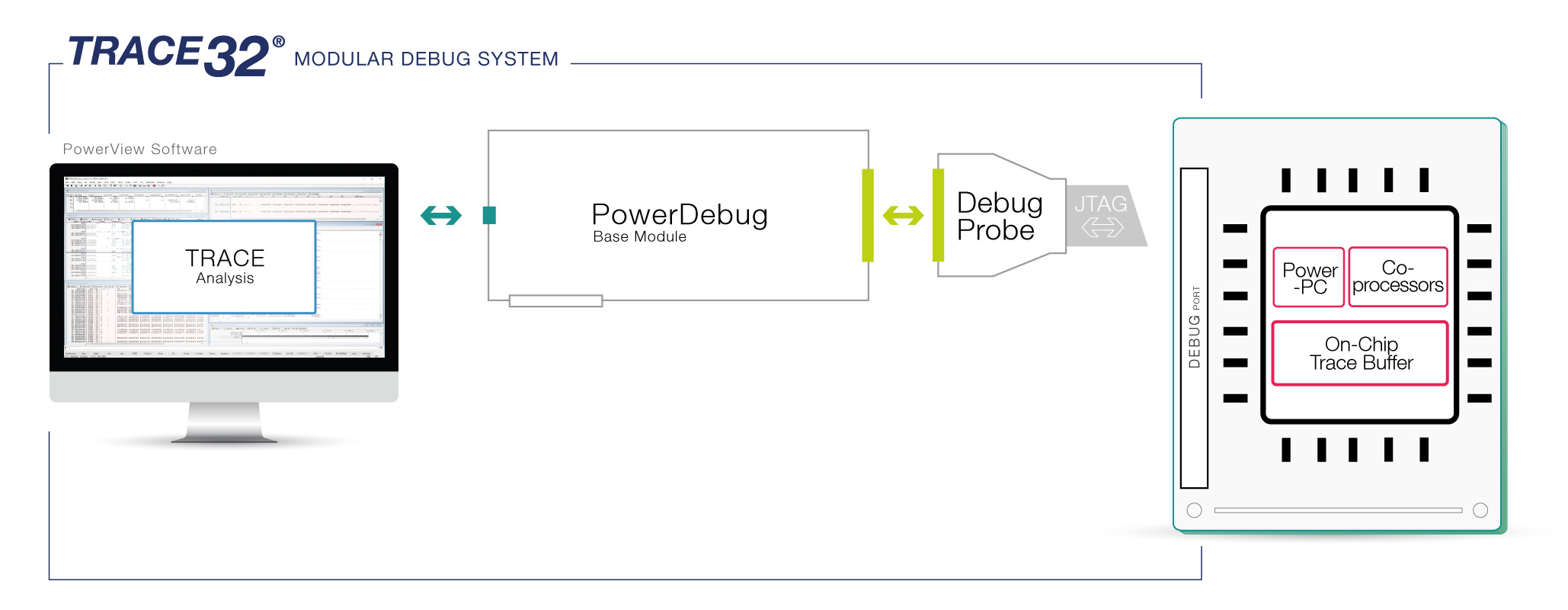
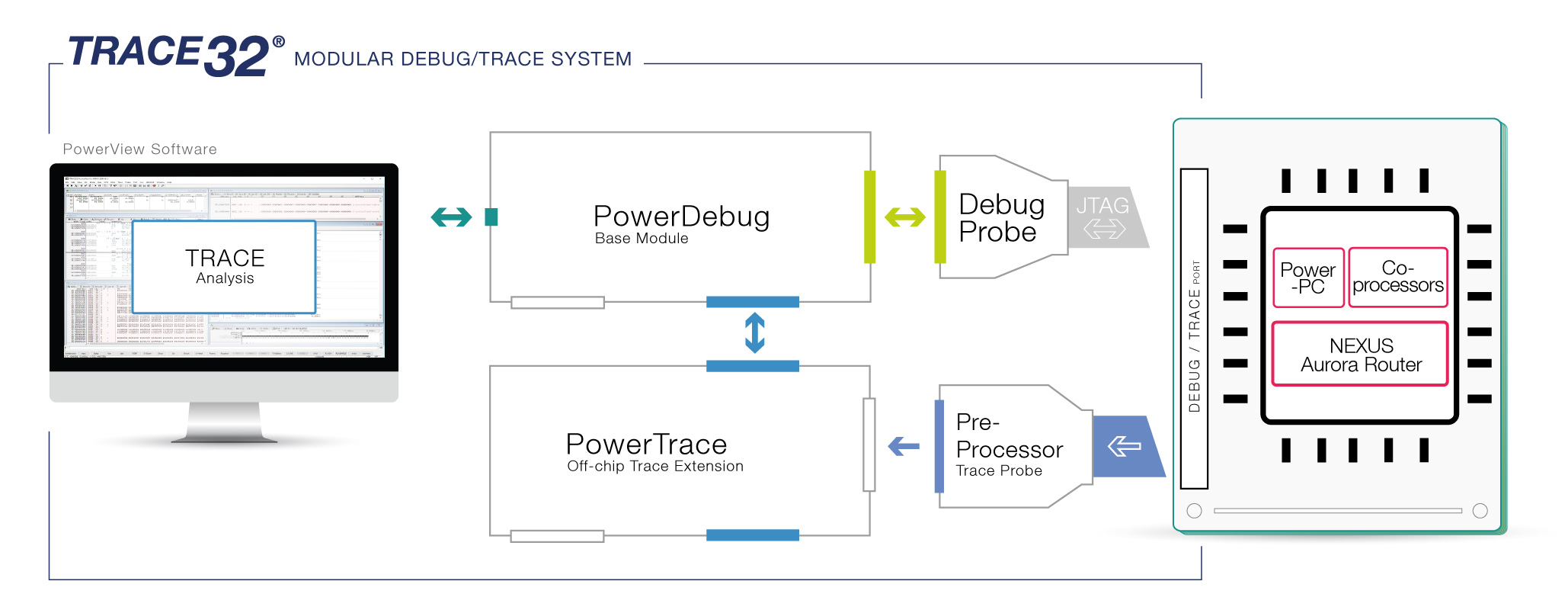
Powerful Off-Chip Nexus Trace
A trace extension empowers you to obtain the program flow and data from cores, as well as data trace from other bus masters with Nexus module, such as DMA or FlexRay. TRACE32®️ also supports tracing through processor reset and target power cycles. TRACE32®️ Nexus trace tools are the ideal solution for code-coverage and long-term run-time measurements.
Nexus Trace-To-Memory
Processors with the Nexus trace-to-memory feature have a small on-chip trace buffer that stores the Nexus trace messages on the chip. This on-chip trace buffer is convenient for quickly tracking down issues. Some processors can even route the trace information to the target’s SDRAM or to an existing PCI channel, enabling deep trace without a dedicated port.
Perfect for Safety Critical Applications
TRACE32®️ trace tools enable you to perform functional safety verification for standards such as ISO 26262 and DO-178C with our Tool Qualification Support Kit.
All PowerPC Trace Protocols
TRACE32®️ tools offer support for all PowerPC trace protocols: Nexus (parallel), Aurora Nexus, PPC4xx trace, PCFIFO, or the MPC85XX peripheral address trace.