TMS320C2X JTAG Debugger


The embedded tools company


Picture
  Highlights
Easy high-level and assembler debugging
Interface to all compilers
RTOS awareness
Display of internal and external peripherals at a logical level
Flash programming
Powerful script language
Onchip breakpoints and trigger
Fast snapshots and spotpoints
Multiprocessor debugging
Multicore debugging
Software compatible to all TRACE32 tools
Support for TI
Support for TMS320C2801, TMS320C2802, TMS320C28346, TMS320F2801, TMS320F28015, TMS320F28016, TMS320F2802, TMS320F28035, TMS320F28044, TMS320F2806, TMS320F28069, TMS320F2808, TMS320F2809, TMS320F2810, TMS320F2811, TMS320F2812, TMS320F28232, TMS320F28234, TMS320F28235, TMS320F28332, TMS320F28334, TMS320F28335
 
  Introduction
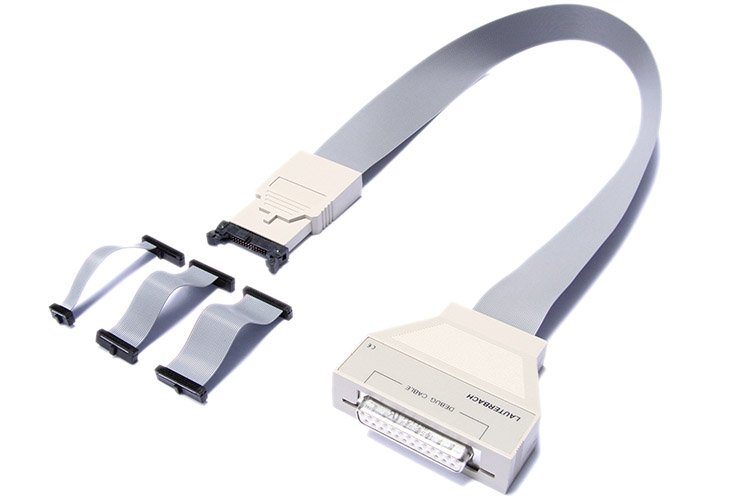
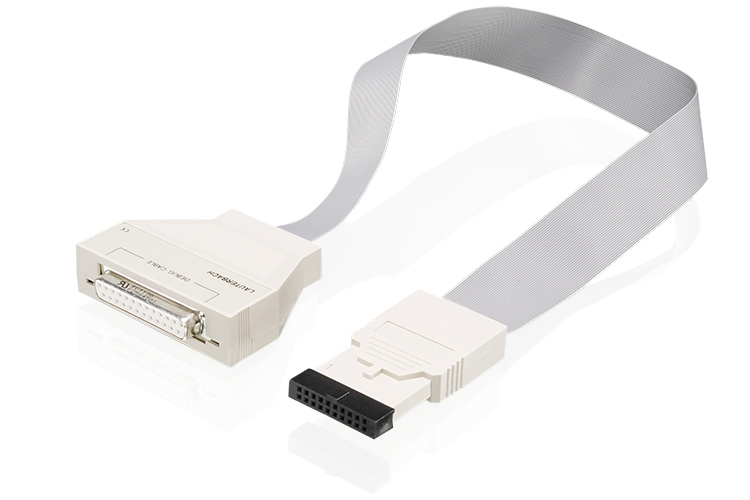
The Lauterbach product TRACE32-ICD supports a wide range of on-chip debug interfaces. The hardware for the debugger is universal and allows to interface different target processors by simply changing the debug cable and the software.


Link Volt
Operation Voltage
Order
Order
Information
Support
Technical Support
[www.ti.com]  TI DSP Site


TOP

Function


Trigger

  • Input from PODBUS
  • Output to PODBUS
TOP

IDE - Integrated Development Environment


High-Level-Language Debugging
  • Supports multiple languages
  • Full support for C++
  • Integrated into TRACE32 environment
  • Supports most compilers and hosts
  • Same user interface on different hosts
  • High speed download
  • Debugs optimized code
  • Display of function nesting
  • Display of linked lists
  • Powerful expression evaluation
Compiler Support

C

  • CCS (Texas Instruments)
    • COFF
Multicore Debugging
  • Debugging support for homogeneous and heterogeneous multiprocessor and multicore systems
  • High quality standard debuggers can be combined for multiprocessor and multicore systems
  • All TRACE32-ICD debuggers are designed to work together in a multiprocessor/multicore debugging environment
  • Fast integration of third party debuggers
  • Several processors in a single piece of silicon can share the same debug port
  • Start and stop synchronisation
Logical Display of Periperals
  • Display of onchip peripherals
  • User definable windows
  • Interactive window definition with softkey support
  • Pulldown menues for selection of choices
  • Additional description for each field
Script Language PRACTICE
  • Structured Language
  • Menu Support
  • Command Logs
  • Custom Menues
  • Custom Toolbars and Buttons
  • Custom Dialog Windows
  • 64-Bit Arithmetic
  • Numeric, Logical and String Operators
  • Direct Access to System States
NOR FLASH Programming
  • Internal and/or external NOR FLASH memories
  • All common NOR FLASH types
  • Programming of multiple NOR FLASH devices
  • Provided by debuggers and in-circuit emulators
NAND FLASH Programming
  • Generic and CPU-specific NAND FLASH controllers
  • Support all common NAND FLASH devices
  • Bad block treatment (skipped, reserved block area)
  • ECC generation
SIM Instruction Set Simulators
  • Easy high-level and assembler debugging
  • Interface to all compilers
  • Trace Buffer
  • Powerful script language
  • Software compatible to all TRACE32 tools
  • Hardware simulation
Trace-based Profiling
  • Detailed analysis of function run-times
  • Detailed analysis of task run-times and state
  • Graphical analysis of variable values over the time
  • Analysis of the time interval of a single event (e.g. Interrupt)
  • Analysis of the time interval between 2 defined events
Trace-based Code Coverage
  • Long-Time Hardware Coverage Analysis for Emulator and ETM
  • Trace Based Coverage Analysis for ICD and Emulator
  • Analysis on ASM and HLL
  • Coverage summary on modul/function level
Sample-based Profiling
  • Long-time performance analysis for functions
  • Long-time performance analysis for tasks
  • Long-time analysis of the contents of a variable or memory location and more
Logger
  • Software trace of any size stored in an array structure on the target
  • General trace format provided by TRACE32-PowerView
  • Configuration and display commands provided by TRACE32-PowerView
  • Works as trace with address and data information
  • Works as a program flow trace (SH4, PowerPC)
  • Time stamp possible
  • Predefined algorithms to fill the trace provided by Lauterbach
  • User defined algorithms to fill the trace also possible
FDX (Fast Data eXchange) Framework
  • Interaction of target application with 3rd party host application
  • No additional hardware necessary
  • High bandwidth
  • Real time data transfer
  • Software trace capabilities
Snooper
  • Samples memory while application is running
  • Support for special debug communication channels
  • All trace display and analysis functions can be used
  • Trigger on specific values
  • Dynamic performance analysis
RTOS
RTOS Support
  • DSP/BIOS (Texas Instruments)
3rd Party Integration
3rd Party Tool Integration
Help System
  • Acrobat Based Documentation
  • Fast Text Search
  • Device Specific Filtering
  • Basic and Advanced Help
  • Training Manuals Included
  • WWW Update
TOP

Details and Configurations


TMS320C2801Texas Instruments
TMS320C2802Texas Instruments
TMS320C28346Texas Instruments
TMS320F2801Texas Instruments
TMS320F28015Texas Instruments
TMS320F28016Texas Instruments
TMS320F2802Texas Instruments
TMS320F28035Texas Instruments
TMS320F28044Texas Instruments
TMS320F2806Texas Instruments
TMS320F28069Texas Instruments
TMS320F2808Texas Instruments
TMS320F2809Texas Instruments
TMS320F2810Texas Instruments
TMS320F2811Texas Instruments
TMS320F2812Texas Instruments
TMS320F28232Texas Instruments
TMS320F28234Texas Instruments
TMS320F28235Texas Instruments
TMS320F28332Texas Instruments
TMS320F28334Texas Instruments
TMS320F28335Texas Instruments


Copyright © 2012 Lauterbach GmbH, Altlaufstr.40, D-85635 Höhenkirchen-Siegertsbrunn, Germany  Impressum
The information presented is intended to give overview information only.
Changes and technical enhancements or modifications can be made without notice.
Last generated/modified: 1-Feb-2012